Albion Price Checker
Craft Calculator
Materials Amount Calculator
Cook Calculator
Coming Soon!
Help & Info
About Albion Tools
Albion Tools is a simple web tool for checking Albion Online market prices, calculating crafting costs, and estimating required resources for bulk crafting. It was made by crafter for crafters, I believe everything you need is right here, if it is not just dm me on discord and I will add whatever you think would improve the tool.
Market prices are based on Albion Online Data Project, so some items may have missing or outdated prices if nobody recently scanned them in game. It is what other bots use and there is not any other legal solution available out there. Overall it is not a major concern, and it only presents itself on low volume artifacts, where there are often no scans from more than 1 or 2 cities.
1. Price Checker
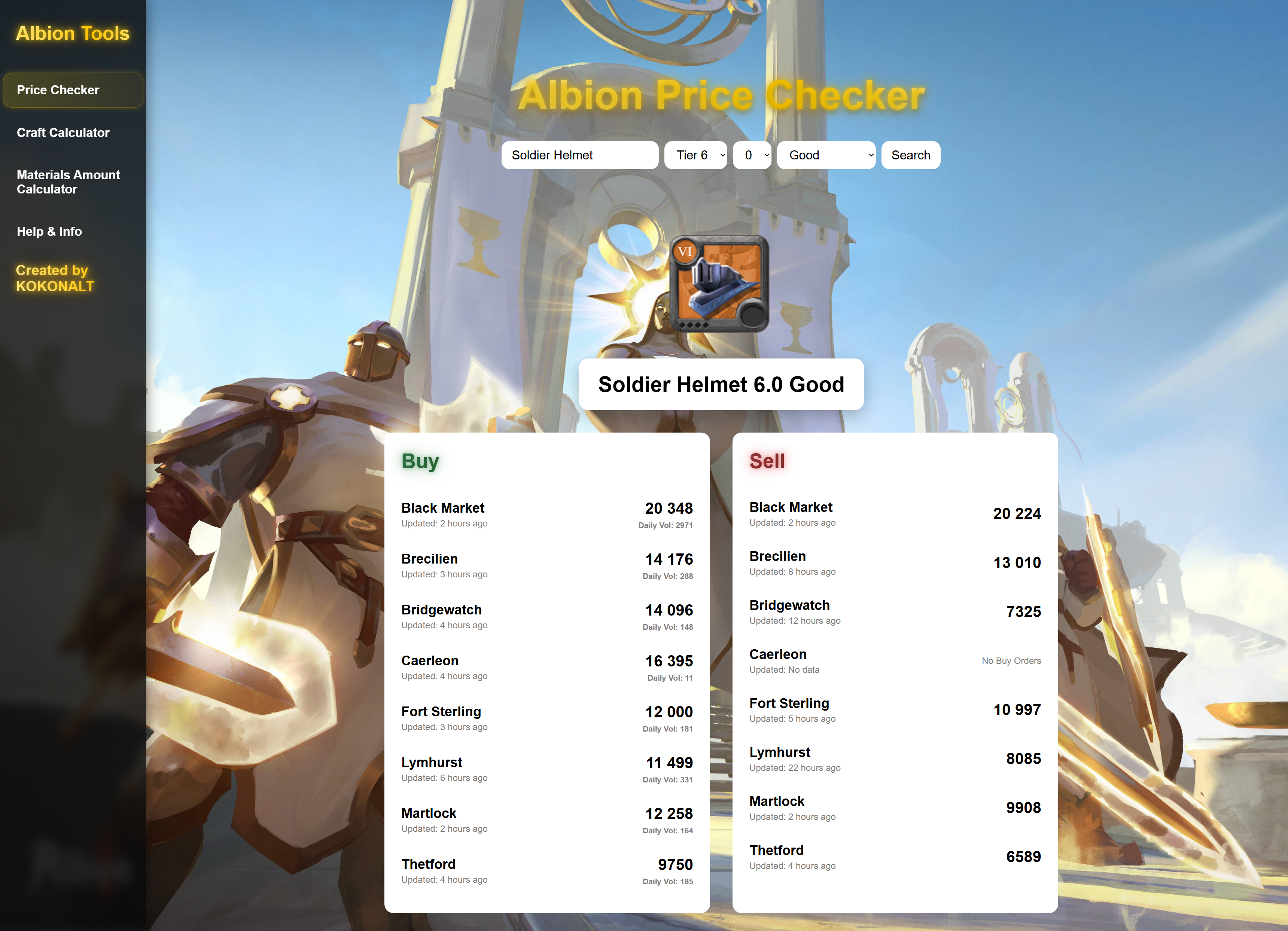
Use Price Checker to search for an item, choose tier, enchantment and quality, then check current sell and buy order data from available market records. "Sell" corresponds to sell orders made by players, if you want to buy an item you look at that and go for the cheapest one. "Buy" means that someone offers to buy an item for X amount. On top of that I added clear volume profiles, now you can see in what city your items should sell the fastest (Smaller text under the prices).
Example use, here I am looking for BM items to craft, I want to hit that spec real fast, so I am looking for the highest volume tier, now you might have been asking yourself why the fuck is there quality filter here, it's there because not every quality has the same volume, you usually don't want combined number of sales across all qualities because it is not appropriate pricewise. Instead, it should be divided into 2 categories: Excellent - your typical royal city destination, and then Good, normal - black market bestsellers.
2. Craft Calculator
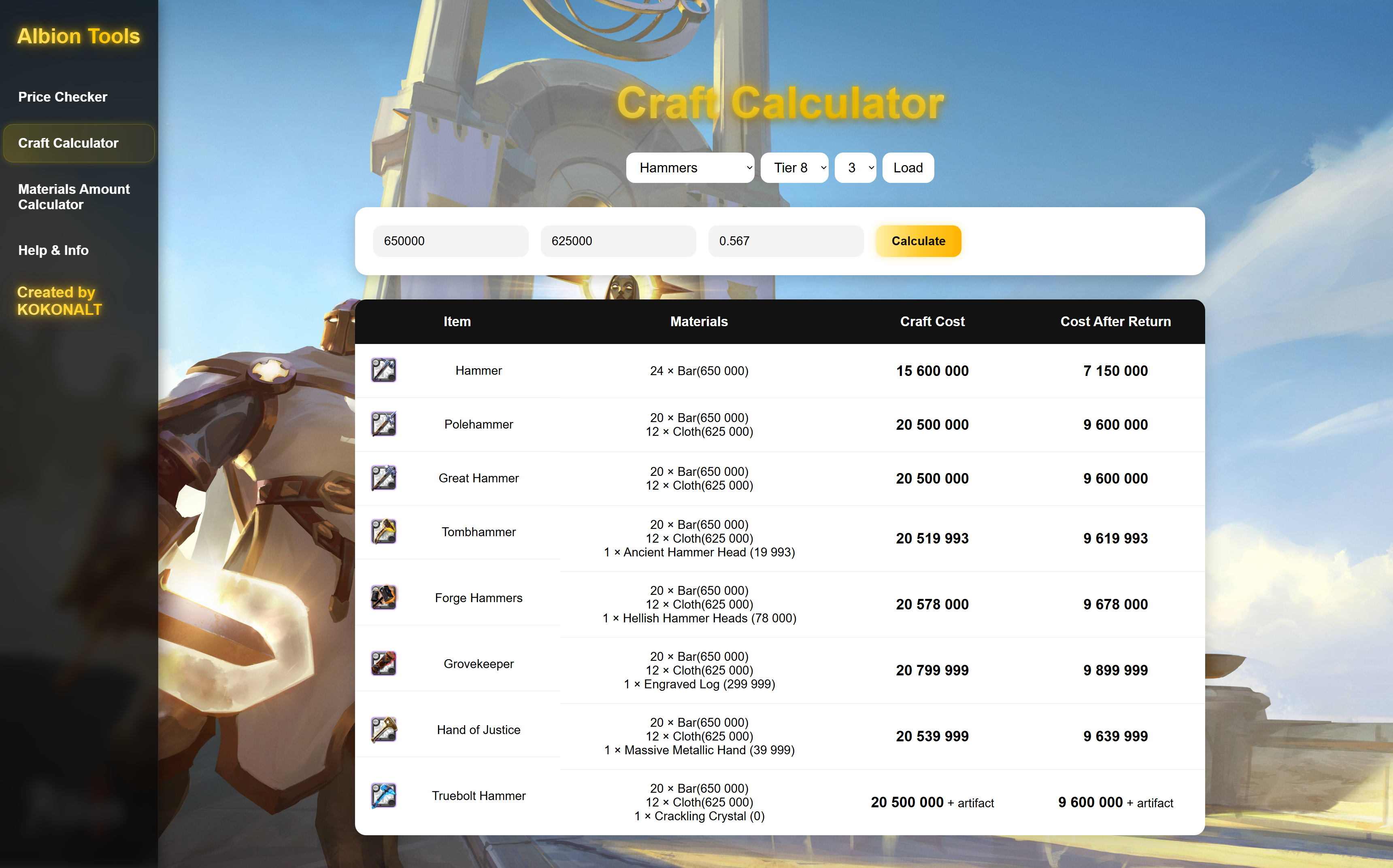
Craft Calculator lets you select a crafting category, enter material prices, and compare total craft costs between normal and artifact items. Here I decided to have whole Spec tree instead of just 1 item as it is more appealing to me when crafting on bonus day to just have all the possibilities for the day presented.
If artifact or special material price is missing, the table marks it with + artifact or + alchemy item. It can happen sometimes because as said in the Info section there are some artifacts or tiers that are rarely checked and updated by players so they might not be even in the used database. In that case you need to manually check EST of that artifact and add it yourself.
Example use, select a category you want to check, tier and enchant. Press LOAD button and resource price inputs will appear. Then fill with the amount you bought or will buy the materials for (if you don't know use est price of an item - check in game). Then you are gonna fill the Return rate (fx 0.418 which translates to 41.8% resource return rate), that step is very important! When crafting you get some resources back based exactly on that RR, so Cost after return is your real cost after getting the % of your resources back.
3. Resource Calculator
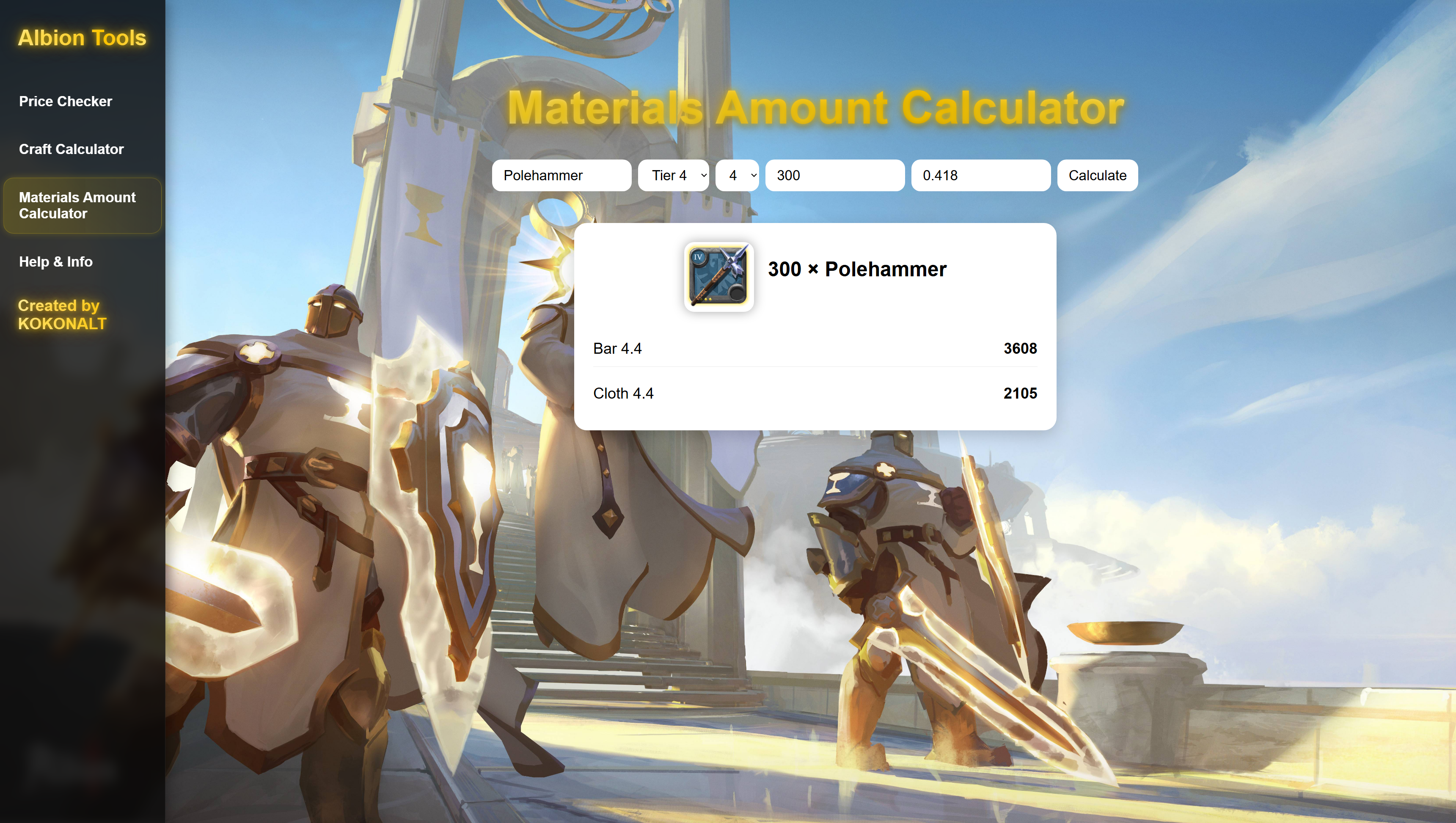
Resource Calculator tells you how many materials are needed to craft a selected amount of items with your chosen return rate. Artifacts and Alchemy items(used in shapeshifter crafting only) are counted separately because material return does not apply to them.
Why would you even need that you could ask ? Well, when crafting high tier gear 8.3s 8.4s you do not want to guess how many of that particular resource you are gonna want to buy. Instead you are gonna calculate it to not waste additional 20/30 million or so. It is also useful in black market crafting when you do thousand of artifact items, with this you can get exact amount of resources you need to buy in order to use all artifacts you got.
Example use, let's say you want to craft 300 polehammers 4.4 because you are me, what you are gonna do is select the item, enchant, tier and then amount of items that you want to craft. Lastly you are gonna enter your Return rate accordingly(fx 0.418 which translates to 41.8% resource return rate). Then you are gonna be presented with exact minimum amounts of resources you need for that particular craft.
4. Cook Calculator
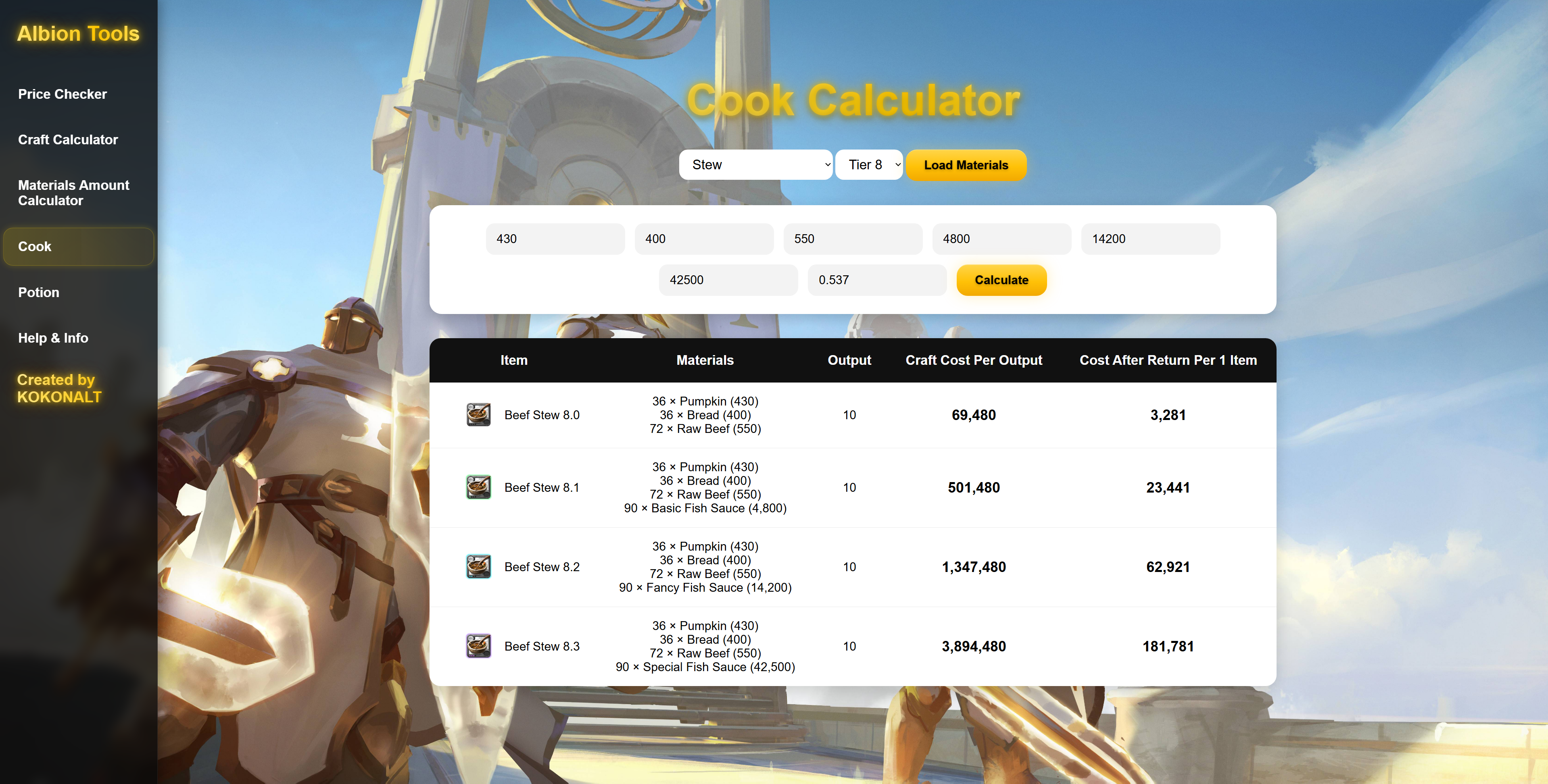
Cook Calculator works same way as material calculator, you choose the type of food you want to check and then load the required ingredients. After filling all prices you press calculate, it returns prices of all enchants of that food type from .0 to .3 .
Output is the amount of food you get while crafting , its 10 for most, but in case of crafting rare fish (artifact) food it is going to be 1. Craft cost per output is cost of ingredients for whatever output is, then Cost after return shows you the real cost after all returns per 1 food of that type.
5. Potion Calculator
Potion Calculator works same way as material calculator, you choose the type of potion you want to check and then load the required ingredients. After filling all prices you press calculate, it returns prices of all enchants of that potion type from .0 to .3 .
Output is the amount of potions you get while crafting , its 10 or 5 for most. Craft cost per output is cost of ingredients for whatever output is, then Cost after return shows you the real cost after all returns per 1 potion of that type.
